Minus5 iconMinus5

Film what already happened

Minus5 is a pre-record camera for iPhone, made for moments you can't see coming. While the camera is open, it keeps the last seconds of video. Tap after the goal, the kickflip or the cat's leap, and the clip starts before your tap, already named for the event.

Download on the App Store

Free, no ads. The highlight reel comes with Minus5 Pro.

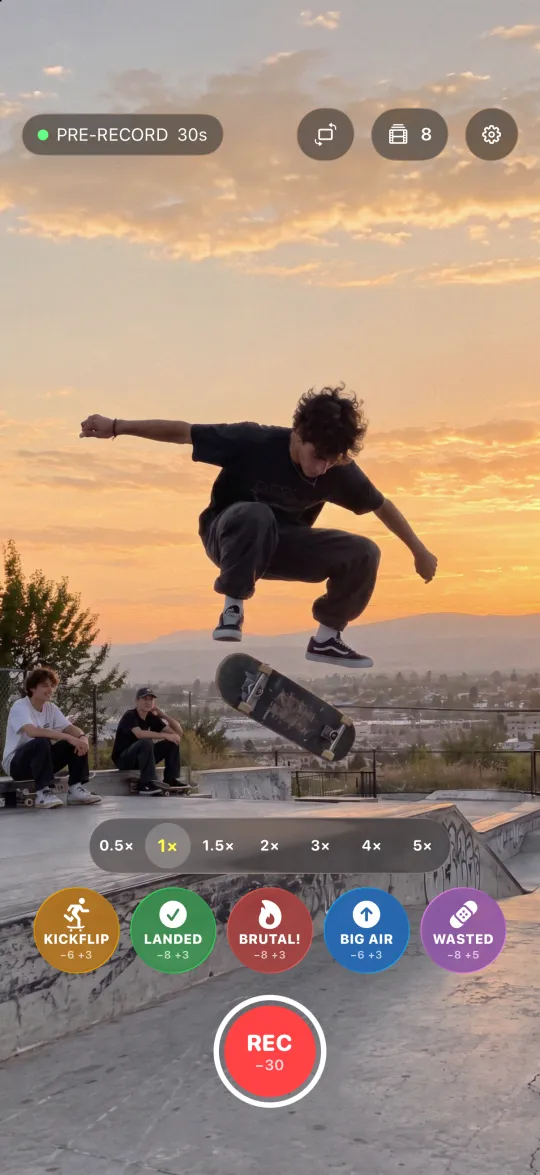
Minus5 camera screen at a skate park, the pre-record holding the last 30 seconds
  1. Point the camera

    Then watch the game, the skate park or your cat. Pre-record keeps the last seconds on a loop and writes over the rest, so nothing piles up.

  2. Tap after the moment

    The seconds before your tap are already in the clip. The button counts down the seconds after, and the clip saves by itself.

  3. A clip with a name

    Each clip is saved with its event: goal, kickflip, lightning or a name of your own. With Pro, they join into one highlight reel.

No need to see it coming

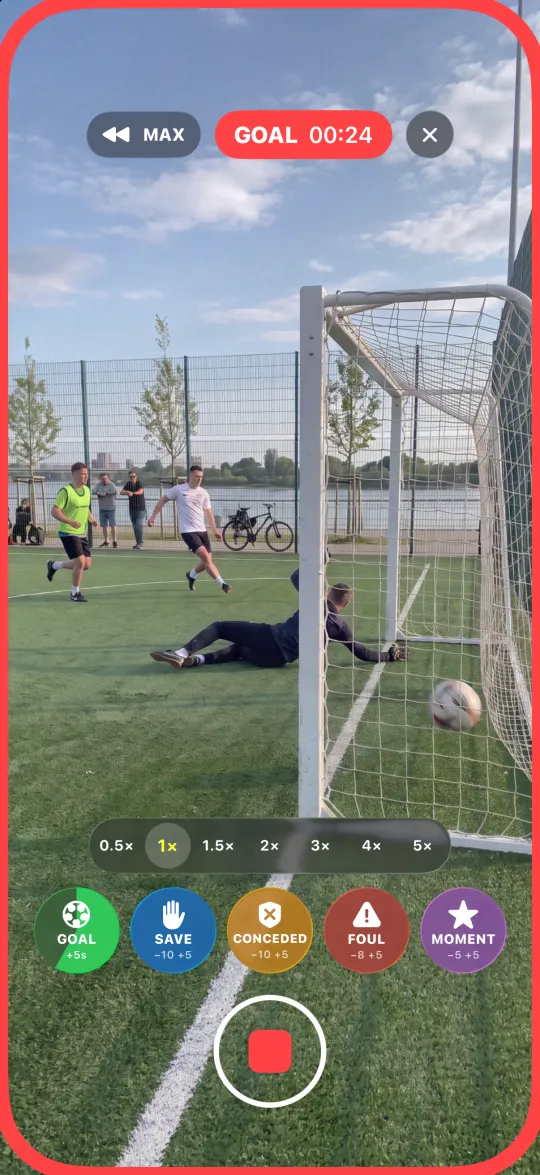
Tap after the goal. The clip starts 5 seconds earlier

The football (soccer) preset puts goal, save, conceded, foul and moment on screen, with shot, card, penalty, corner, free kick, offside, skill and counter one switch away. Film your kid's match from the sideline and come home with only the goals and saves.

A goal in an amateur football match, the event button counting down

Cats don't do encores

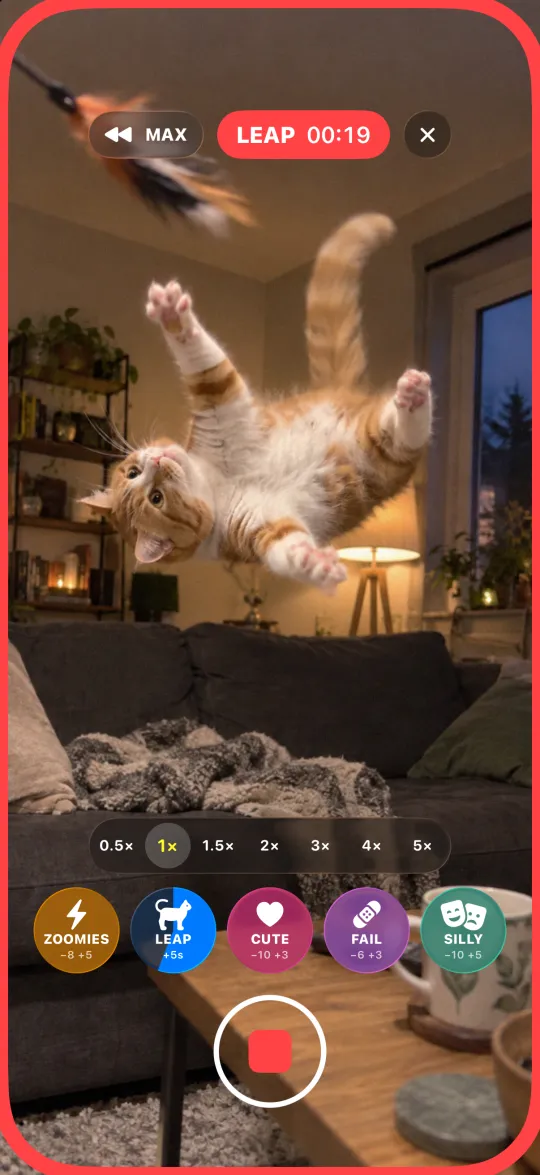
Tap after the leap. The leap is already in

The pets preset has zoomies, leap, cute, fail and silly. Point the camera at your cat or dog and save only the moments worth keeping.

A cat mid-leap in a living room, the event button counting down

Lightning gives no warning

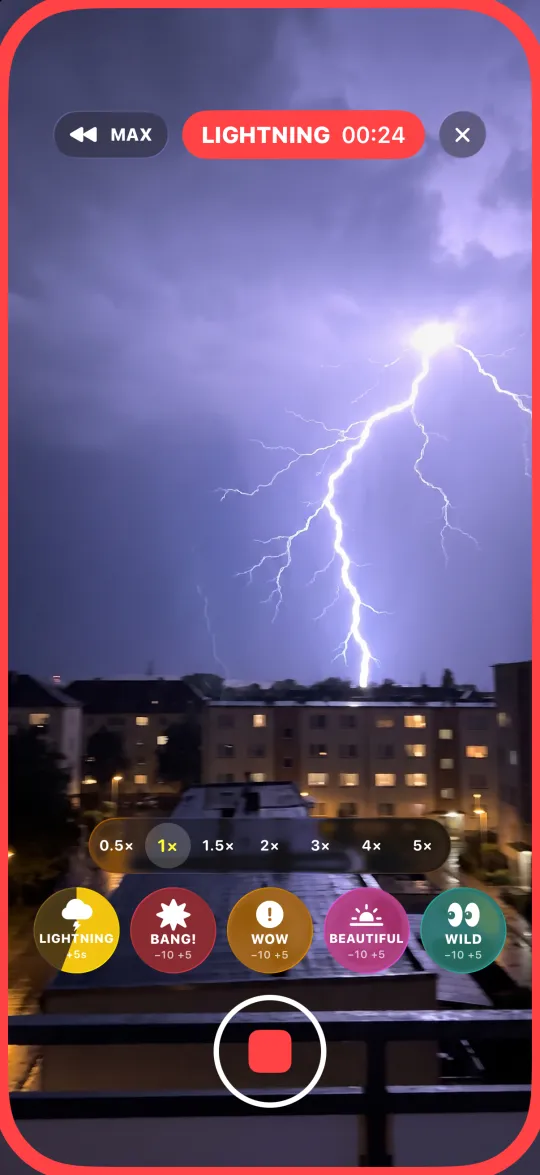
Tap after the flash. The seconds before it are saved

The street preset has lightning, bang!, wow, beautiful and wild, for storms, city nights and anything over in a second.

Lightning over a city at night, the event button counting down
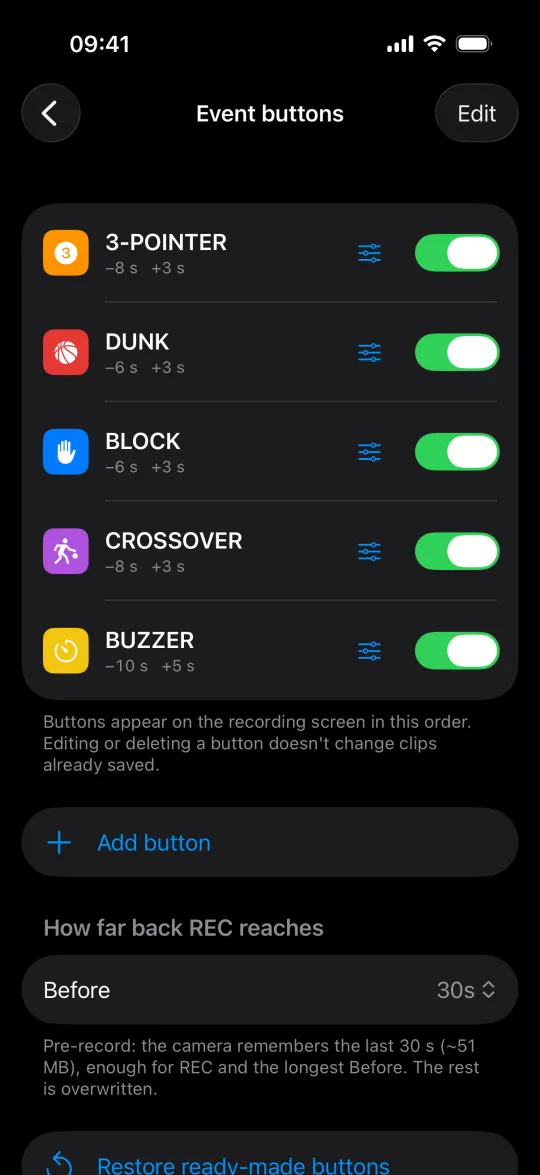
Event buttons of the basketball preset in Settings

Soccer, basketball, skate…

Ready-made sets, or build your own

  • Six presets

    Football, basketball, combat sports, skate, pets and street, five buttons each, ready to go.

  • Your own buttons

    Any name, icon and color, in any preset.

  • Two at once

    A save, then a goal ten seconds later: tap both, get both clips in full.

  • More time

    Each extra tap adds 5 seconds. MAX grabs everything the camera remembers.

  • REC without looking

    Volume buttons or a Bluetooth remote start and stop it. Your eyes stay on the game.

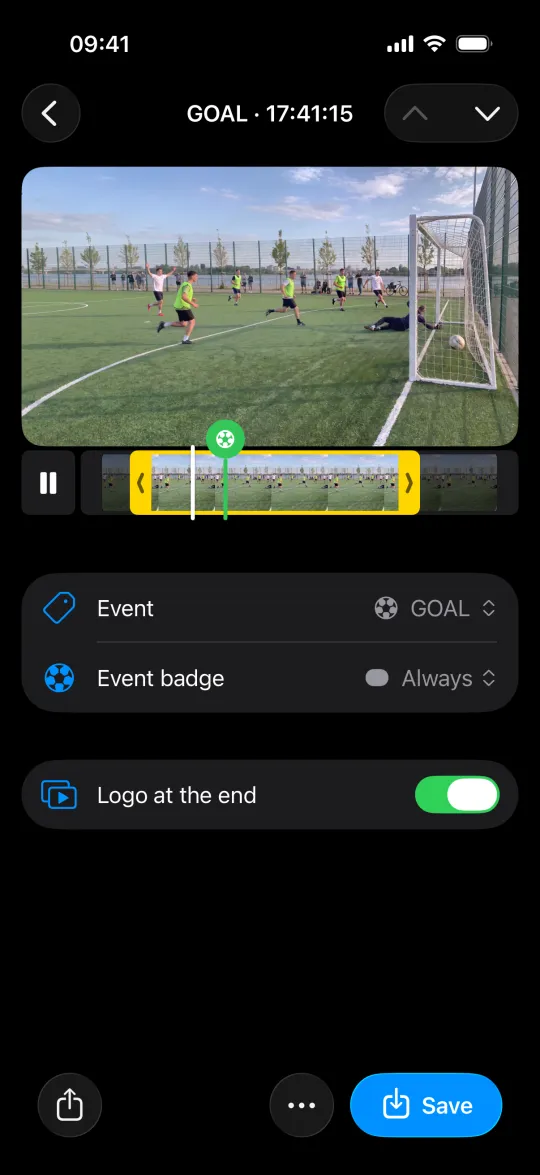
A saved goal clip with the event badge switch and Save to Photos

Ready for the group chat

Labeled on the video. Send it before the final whistle

  • Event badge

    The event's name on the video, for the whole clip or only at the start, middle or end.

  • Trim

    Shorten the start and end before export. The original clip stays as recorded.

  • Change the event

    Pick another event for a clip at any time, or remove it.

Highlight reel

Tag the moments during the game, then put the clips into a Match project after the final whistle. The teams, score and match time go right onto the video.

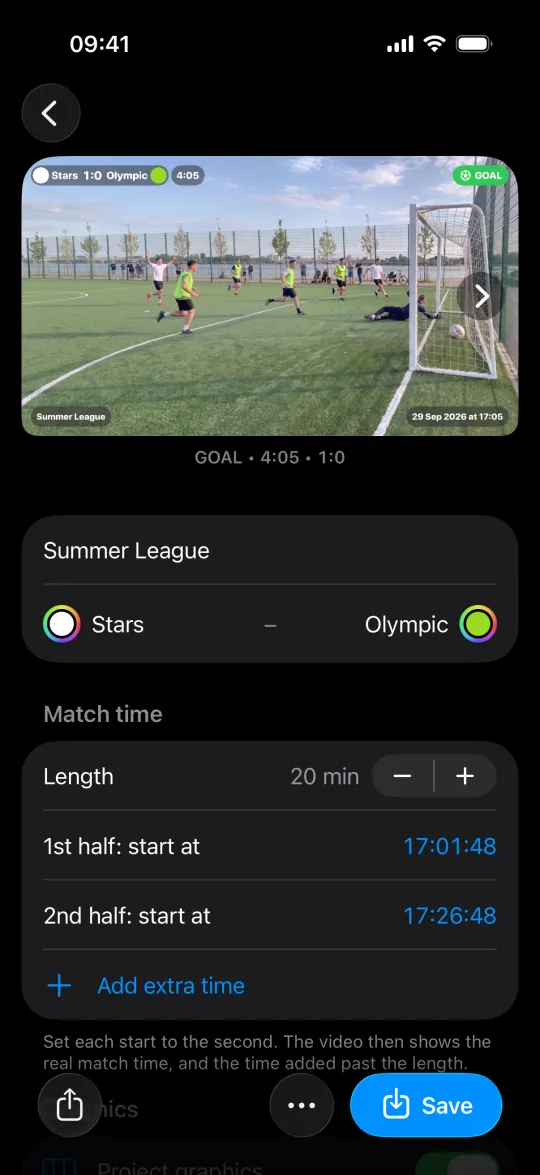
A Match project in Minus5: a goal clip with the scoreboard, match time and event badge on the video, the teams and half starts below

Every highlight in one video Pro

Score, match time and event name, right on the video

Tick the clips in the gallery, then New project → Match. They line up in the order you shot them and save as one video: every clip, or only the goals.

Set when each half starts, to the second. The video then shows the real match time, with added time as +1:23 past the half's length.

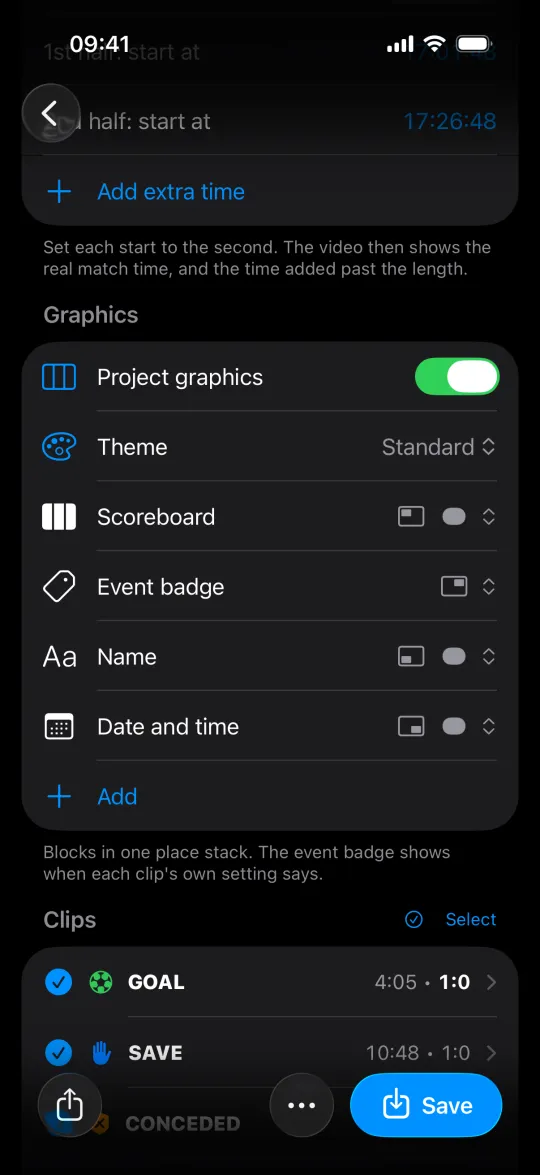
Project graphics settings: the theme and blocks, then the match's clips with their match time and score

Graphics like a broadcast

Scoreboard, match time, name and date, placed your way

Pick one of four themes and place the blocks: scoreboard, teams, match time, score, event badge, date and name. One clip saves with the graphics for free. Two or more clips in one video take Pro.

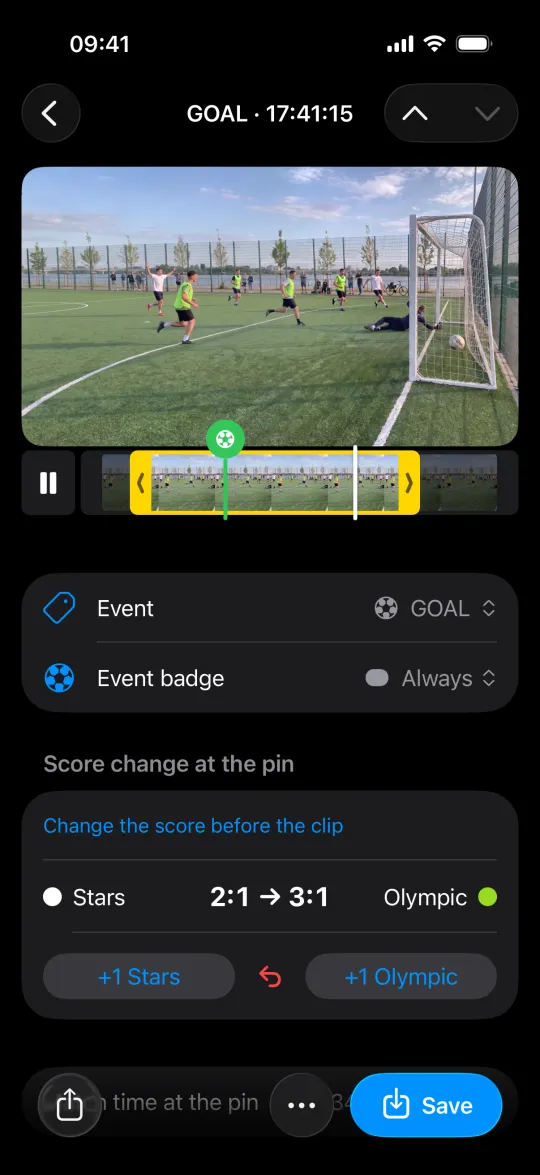
A goal clip opened from the match: the score goes from 2:1 to 3:1 at the moment of the goal, with a +1 button for each team

Keep score with one tap

Tap +1 on the goal. The scoreboard follows on every clip after it

If a goal happened off camera, or you started filming mid-match, set the score on that clip. The clips after it count on from there.

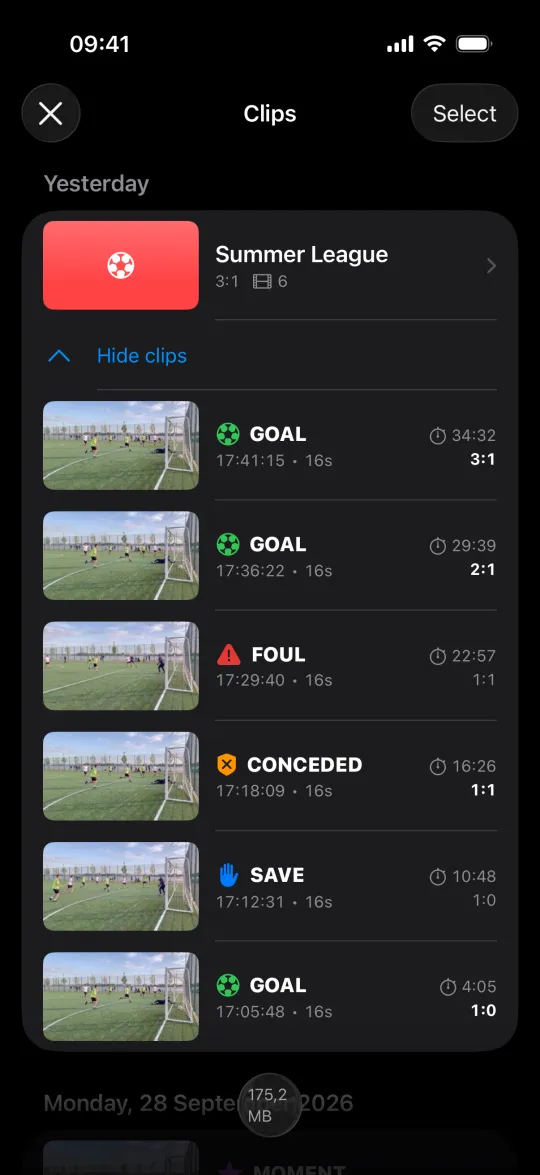
The Minus5 gallery: the match kept as one project with its clips, each with its match time and score

Only the moments stay

Pre-record overwrites itself. No 90-minute videos in Photos

The match stays in the gallery as one project with its clips, each marked with its match time and score.


Questions

How do I record something that already happened on iPhone?

Open a pre-record camera before it happens. The built-in Camera starts recording at your tap, and a Live Photo reaches back only about 1.5 seconds. Minus5 keeps the last seconds of video while its camera screen is open, so you tap after the moment and the clip starts up to 60 seconds before the tap.

How far back does it go?

Each event button keeps up to 60 seconds before the tap and up to 30 after. REC can start up to 90 seconds in the past and records until you stop it. MAX pulls everything the pre-record holds into the clip in progress.

Is it only for sports?

No. There are ready-made sets of event buttons for football, basketball, combat sports, skate, pets and the street, and Custom, which starts empty. Any preset takes your own buttons with a name, icon and color.

How is Minus5 different from other pre-record apps?

Most pre-record apps have one record button and save videos without names. In Minus5 every moment gets its own event button, so each clip is saved under its name (goal, dunk, kickflip), and Pro joins a match's clips into one highlight reel with a badge on each.

Will my phone last a whole match?

At 1080p and 30 fps, yes. The phone warms up as much as it would filming that long in the Camera app: the heat comes from Apple's camera and video encoder, and keeping the pre-record adds next to nothing. Settings → Help lists what keeps it cooler.

Does it fill up my phone's storage?

No. The pre-record takes a fixed amount (about 20 MB for 30 seconds at 1080p) and writes over itself. Only the clips you mark stay: a 15-second clip at 1080p is about 10 MB.

What does Minus5 Pro add?

Minus5 stays free. Pro adds the highlight reel (several clips as one video, each with its own badge) and lets you turn off the logo at the end. Buy it once to keep it forever, or subscribe monthly.

Film the moments you can't see coming

Free on iPhone with iOS 18 or later.

Download on the App Store